September 28, 2026 · By The Listently Team
AI Transcription Accuracy: 5 Factors That Decide It
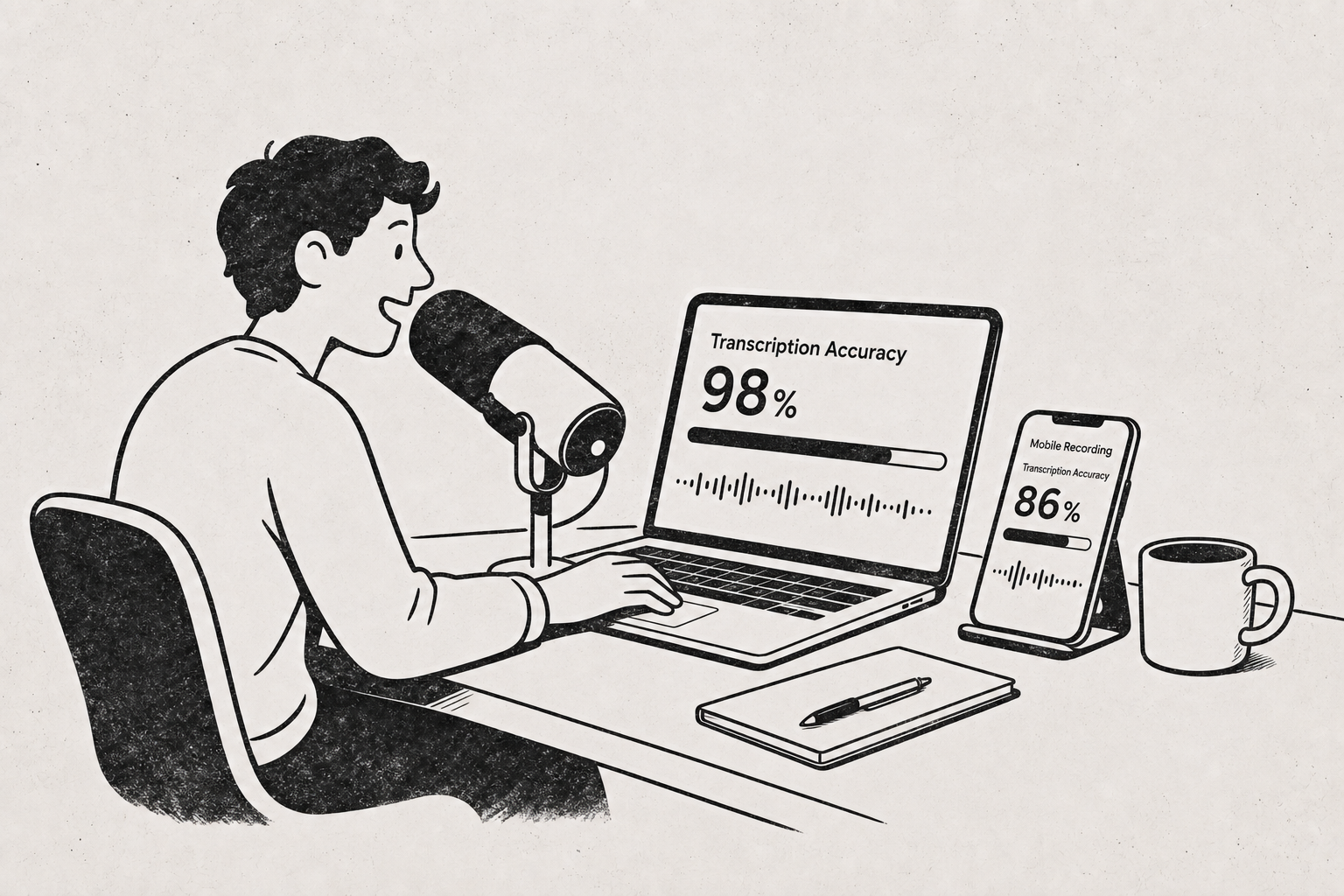
In 2026, a good AI transcription engine working on clean audio — one speaker, a close microphone, low background noise, a widely-represented accent — typically lands in the mid-to-high 90s for word accuracy. That’s roughly one to five errors per hundred words. But that’s the ceiling, not the average. The same engine on a four-person conference-room recording captured by a laptop microphone, with cross-talk and unfamiliar surnames, commonly falls into the 80s, which feels very different to read: an error every seven to twelve words, concentrated exactly on the names and terms you care about. Accuracy is driven mostly by input quality, not by which vendor you pick. Microphone distance, overlapping speech, accent, domain vocabulary, and audio compression explain most of the variation between a transcript you can publish and one you have to rewrite. Vendor claims of “99% accuracy” are measured on clean benchmark audio and rarely describe a real meeting. The practical takeaway: switching tools rarely rescues bad audio, but moving a mic two feet closer and asking people not to talk over each other can gain you several percentage points in one session.
“99% accurate” means one error per 100 words — and it’s measured on clean audio
Accuracy in speech recognition is usually the inverse of word error rate (WER): substitutions, deletions, and insertions divided by the number of words in the reference transcript. A 5% WER — “95% accurate” — means five wrong, missing, or invented words in every hundred.
That sounds small until you see it on a page. A typical spoken paragraph runs 100–150 words, so 95% accuracy means roughly five to eight fixes per paragraph. For a 60-minute interview at around 9,000 spoken words, it means about 450 errors to catch.
The headline percentages vendors publish are almost always measured on curated benchmark datasets — read speech, studio microphones, no cross-talk — which is the easiest possible condition. Treat them as a best case, not a forecast for your recording.
WER also weights every word equally, which does not match how you read. A missed “the” costs the same as a mangled surname, but only one of those matters when you’re quoting a source.
Realistic 2026 accuracy by recording type
These are typical ranges, not fixed outcomes. The point is the spread between conditions, which is much larger than the spread between good tools.
| Recording condition | Typical word accuracy | What you’ll be fixing |
|---|---|---|
| Solo voice memo, phone held close, quiet room | High 90s | Punctuation, occasional proper nouns |
| Podcast recorded on dedicated mics, one track per speaker | High 90s | Names, brand terms, numbers |
| Two-person video call, headsets, minimal cross-talk | Mid 90s | Names, overlaps at turn boundaries |
| Four-person meeting, laptop mic in the middle of a table | Mid 80s to low 90s | Speaker labels, cross-talk, quiet participants |
| Field or café recording with ambient noise | Low 80s to low 90s | Whole phrases lost under noise |
| Heavy accent or code-switching plus background noise | Highly variable | Frequent substitutions, hallucinated phrasing |
The gap between the best and worst rows is far bigger than the gap between any two mainstream transcription services. That’s why “which tool is most accurate” is usually the wrong first question.
Five things that decide your accuracy
1. Microphone distance beats model choice
Sound pressure drops sharply with distance, and room reverberation doesn’t. A mic six inches from a mouth gets a clean signal; a mic six feet away gets the same voice plus the room, the HVAC, and the laptop fan.
In practice, halving the distance between speaker and microphone improves transcripts more reliably than switching transcription providers. A $30 USB mic on a desk beats a laptop’s built-in array in almost every room.
2. Overlapping speech damages words and speaker labels at the same time
When two people talk at once, the model has to choose. It usually transcribes the louder voice, drops the quieter one, and often assigns the merged segment to a single speaker.
This is why speaker attribution degrades fastest in exactly the recordings where you need it most — panel discussions, argumentative meetings, group interviews. If diarization matters to your output, it’s worth reading our 7 rules for multi-speaker transcription before your next group recording.
A moderator who enforces one-at-a-time turn-taking buys you more accuracy than any post-processing.
3. Accent, dialect, and code-switching shift results more than most people expect
Models perform best on accents heavily represented in training data. Regional dialects, second-language speakers, and fast conversational speech all push error rates up, sometimes substantially.
Code-switching — changing languages mid-sentence — is a separate and harder problem. A model set to transcribe in one language will often force foreign-language phrases into the nearest-sounding words of the selected language rather than switching.
If your recording mixes languages, expect to split it by language or accept errors at the switch points. We covered the workflow in transcribing audio in another language.
4. Proper nouns and jargon fail predictably — which makes them fixable
Generic speech recognition has no reason to know your CFO’s surname, your internal project codename, or a drug name from a clinical trial. These fail almost every time, and they fail consistently — the same wrong spelling, again and again.
That consistency is an advantage. Consistent errors can be fixed with find-and-replace, or prevented outright with a custom vocabulary list. Listently supports saved terms for names, jargon, and acronyms so they’re spelled correctly automatically — 15 terms on the free plan, 50 on Pro — and there’s a setup walkthrough here.
Before a recurring series of recordings, spend ten minutes listing the twenty names and terms that will appear in every one. It removes most of the errors you’d otherwise notice.
5. Audio compression and file handling quietly cost you accuracy
Low-bitrate audio, aggressive noise suppression from conferencing apps, and re-encoding a file multiple times all remove detail the model uses. Video call platforms sometimes apply noise gates that chop the first syllable off quiet speakers.
Upload the original file rather than a compressed copy or a screen recording of playback. Common formats — MP3, WAV, M4A, FLAC, OGG, MP4, MOV, MKV — are all handled directly, so there’s rarely a reason to convert before uploading.
One transcode too many is a silent accuracy tax: nothing looks wrong, the transcript is just a little worse.
If you’re recording other people, note that consent rules for recording conversations vary by country and by state or province — some jurisdictions require every participant to agree, others only one. Check what applies where your participants are, not just where you are.
What AI transcription still gets wrong in 2026 even on perfect audio
Clean audio removes most errors but not all. The residual failures cluster in predictable places:
- Homophones with no disambiguating context — “their/there,” “principal/principle,” ticker symbols, initials.
- Numbers and formatting — “twenty twenty six” versus “2026,” phone numbers, currency, measurement units.
- Punctuation and sentence boundaries — the model guesses where a sentence ends, and long unpunctuated runs are common in fast speech.
- Speaker labels on short interjections — a two-word “yeah, exactly” is often merged into the previous speaker’s turn.
- Confident-sounding filler in low-signal moments — a muffled phrase may come back as a plausible but wrong sentence rather than a gap.
That last one is the important one: the transcript rarely tells you where it was uncertain. Errors read as smoothly as correct text, which is why spot-checking against the audio at the moments that matter — direct quotes, figures, commitments — is still necessary work.
This also affects anything built on top of the transcript. An AI summary inherits whatever the transcript got wrong, including misattributed speakers, which is one reason we wrote about what teams get wrong about AI meeting summaries.
How to measure accuracy on your own recordings in 10 minutes
Vendor benchmarks don’t describe your audio. Yours does. Do this once with a representative file:
- Pick a five-minute segment from a typical recording — not your cleanest one.
- Transcribe it with your tool of choice.
- Listen to the segment and correct the transcript by hand, tracking each fix.
- Count the corrected words and divide by the total words in the segment.
- Subtract from 100. That’s your real accuracy for that recording condition.
Then repeat step 1–5 after changing exactly one variable — a closer mic, a quieter room, a custom vocabulary list — so you can see what the change actually bought you.
Most people discover their true baseline is lower than the marketing number and higher than their gut feeling, and that one or two fixable input problems account for the majority of errors.
What actually improves accuracy, in order of payoff
- Move the microphone closer. Biggest single gain, costs nothing.
- Reduce background noise at the source — close the window, turn off the fan, move away from the espresso machine. Our seven noise fixes cover the common cases.
- Record separate tracks per speaker where the setup allows it. This solves cross-talk and speaker labeling in one move.
- Load a custom vocabulary with names, acronyms, and product terms before you transcribe.
- Upload the original file, not a compressed or re-encoded copy.
- Only then compare transcription tools.
There’s more detail on pre-recording preparation in 9 ways to improve transcription accuracy before you record.
Common questions
Is human transcription still more accurate than AI? For difficult audio — heavy accents, overlapping speakers, poor recordings — a skilled human transcriptionist still outperforms automated systems, because humans use context and can replay a passage twenty times. For clean audio, the gap has narrowed enough that most people edit an AI draft instead of paying for a human pass.
Does a longer file get less accurate? Length itself isn’t the problem; consistency is. A two-hour recording is more likely to include a section where someone moves away from the mic, a noisy interval, or a new speaker. Accuracy varies within the file rather than declining over it.
Will a better tool fix a bad recording? Marginally. Different engines handle noise and accents somewhat differently, so switching may gain you a few points on a hard file. It will not turn an 82% transcript into a 97% one. Fix the input first.
How much editing should I budget? As a rough planning number, expect to spend two to four times the audio length lightly cleaning a mid-90s transcript, and considerably more on anything in the 80s. Fixing consistent proper-noun errors with find-and-replace is the fastest single step.
If you want to see where your own audio lands, upload a representative file and check the result against the five-minute method above — try Listently free with 3 transcriptions a day, speaker labels, and an AI summary built from the actual transcript.